Digital Marketing Insider Secrets | An Overview of What’s Trending of Google Maps + Google My Business Profile – Suspension & Recovery + 10 Things to Do When Your Ranking Drops
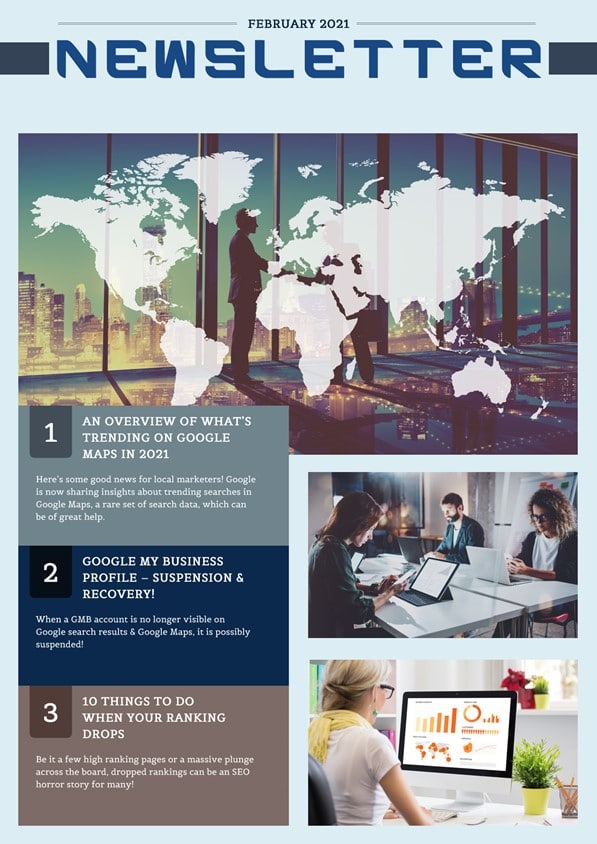




Here’s some good news for local marketers! Google is now sharing insights about trending searches in Google Maps, a rare set of search data, which can be of great help.
Previously, local search data for January used to provide a sneak-peek into people’s New Year’s resolution plans, showing searches for gyms, healthy restaurants, winter vacations, and various forms of self-improvement spiking during the entire month.
But the difference about January 2021 is that this set of Google Maps search data offers a look into what people are doing when they leave home during a time when travel is discouraged. Although, data shows us that people are doing a lot of the same things they do every January but with a different approach to it this year.
For example, unlike every year, people are searching for local travel instead of international travel destinations. Same way, they are searching for at-home workouts instead of the nearest gyms.
Let’s have a deeper look into January 2021 Google Maps search trends.
Local Travel
For this year, people’s focus has shifted from international travel to local travel. Compared to every year, searches for countries outside one’s hometown were low this January.
In January 2020, Maps searches for international destinations increased by 65% over December 2019. Whereas searches for local bed and breakfasts have increased by 20% in January 2021 as compared to late 2020.
Google also noted that ski resorts are trending “in a big way” on Maps. As skiing is a socially distant activity, more people are focusing on it; as a result, searches for ski resorts were more than twice as high as they were last year.
New Year’s Resolution
Search trends in January have always represented people’s New Year’s resolution plans like drinking less, eating better, and exercising more.
Usually, every year, the query “Dry January” tends to spike at the beginning of the year, as people vow to abstain from alcohol in the month following the holiday season.
But this year, it seems very few people are taking this challenge because searches for wine shops and liquor stores dropped by 11% and 6% respectively as compared to December. Whereas, last year at this same time, searches for both the queries were down nearly 40% as compared to the holiday season.
Eating healthy remains a priority this year too. As data shows, searches for “healthy” options increased by 46% in January as compared to December. But it also shows that people’s appetite for sweets is up this year. Searches for ice cream shops are up by 10% as compared to December.
Unlike every year, searches for fast-food restaurants in January 2021 haven’t decreased. Contrary to January 2020, this year’s searches for fast food dropped only by 1.5% from December to January.
Searches related to workouts and exercise remained high even this year, witnessing an increase of 25% from December to January.
According to Google, searches for hiking areas have gone down this year. Data shows only a 16% increase as compared to last year’s 55% increase.
Google My Business (GMB) Suspension
When a GMB account is no longer visible on Google search results & Google Maps, it is possibly suspended! The suspension process is carried out because the business details are not according to the terms and conditions of Google. The trickiest part here is – Google doesn’t specify the reasons as to why a GMB profile was suspended. If you have a GMB account or if your account was suspended, this article is for you!
Signs That Indicate Your GMB Profile Was Suspended
- Comparatively fewer phone calls or less foot traffic than normal
- An email notification from Google stating that your GMB profile has been suspended
- Your Google My Business dashboard displays a “Suspended” notification
Types Of Suspension
- Hard Suspension: When you search for your business on the web, your company’s name is not shown in the search results or Google Maps.
- Soft Suspension: In this case, your business is visible, but you cannot make any changes or manage your listings.
Common Reasons For GMB Suspensions
- Two or more businesses share the same address.
- The address on your website does not match with the business listings.
- The address, name, or phone number on your GMB profile does not match with your directory listings.
- Making frequent small or big changes to your address, business name, website, phone number, etc. is considered spam.
- You have mentioned a P.O. box or UPS box in the address.
- The address on your GMB profile is a virtual office address.
- You have used too many keywords in your business name.
- Business name is not the same across the web.
- Service Area Business displaying your home address.
- Running an online business and don’t have a physical store.
- You belong to industries like Locksmiths, HVAC, Plumbing, and other home service businesses. These industries are known to have more fake listings, making them prone to suspensions.
- The link on your GMB profile redirects to another website or a social media page.
- You have multiple locations or listings for a single business.
- Someone reported your listing through a Redressal form.
- You or your GMB manager violated GMB TOS (Terms of Service).
- Other reasons for suspension include Bugs, Algorithmic Sweep, etc.
How To Avoid A Suspension?
- Read the GMB Guidelines thoroughly before you create an account.
- If you have any questions while you are registering, ask the experts or contact Google.
- Provide the necessary documents like photos, valid proofs, etc. as and when required.
- Check the GMB Guidelines (TOS) once a month to stay updated with all the rules.
What To Do After Your Account Has Been Suspended?
- Don’t panic! If you are a legitimate business, there is nothing to worry about.
- Identify the reason/s due to which your account was suspended. Here, you must check whether you or your manager has violated any of the GMB TOS.
- Follow the guidelines and make the required changes to your suspended account. Yes, these steps can be tedious but still hold on. Do not create a new GMB profile; it won’t be helpful.
- To ensure you have actually fixed the issues, post your details on the GMB help forum or confirm it with an expert.
- Fill in the Reinstatement Form. Answer the questions asked on the form honestly and also provide the required proofs. Please file only a single request to avoid further delays.
- You will receive an update regarding your form from Google within 2-3 weeks.
- If you do not get a reply after 3 weeks, contact GMB support through Facebook or Twitter.
In The End…
If your business totally relies on GMB, then follow the rules and stay updated. We also suggest you utilize other online marketing tools.
See How You Can Improve Your GMB!
Be it a few high ranking pages or a massive plunge across the board, dropped rankings can be an SEO horror story for many!
So what do you do when your ranking goes down?
Google never fails to remind us that they update almost everyday which can sometimes result in your rankings going the wrong way. So when you check the SERPs or console or some other rank monitoring software and see your rankings take a dive, DO NOT PANIC!!!
Strategic troubleshooting can help take things in the right direction. These 10 tried and tested tricks shall help you get back on track with your organic SEO rankings!
1) Take Care of the Basics
When deploying and monitoring keyword performance and focusing on the advanced strategies, it is likely to overlook the on-page SEO ABCs.
Just a quick fix on your website can resolve a lot of issues, which you could be trying to improve with things like anchor text ratio, link velocity, or citation optimization.
Also, do your pages return a 200 status code? They indicate that your site is communicating successfully. The standard 200 OK status code indicates a successful HTTP request.
Free tools such as httpstatus can be used to confirm that your site is returning a successful request. You can troubleshoot based on the failed status codes like 404 (page not found) or 410 (page permanently removed).
Next, you need to know that robots.txt is a text file in the top-level directory of your web server that instructs bots on how to interact with your website. You can include and exclude things in the file as per your liking, like disallowing bots from crawling a dev site or indexing duplicate pages.
Make sure you haven’t set the restrictions too tightly, preventing search bots from crawling any of your main pages. Double-check the robots.txt file with Google’s free Robots Testing Tool, and if you find anything missing, upload a more permissive file to the server.
2) Don’t Forget the SEO Basics
Setting your SEO basics right ensures that you are prepared to compete in the game. Although title tags aren’t a search engine ranking factor, they do have an influence.
Make sure that SEO basics, such as title tags, meta descriptions, and headings, aren’t holding back your rankings.
Have you optimized your homepage title and meta tags, and are they displayed correctly in the search results? Do not miss the simple yet massive opportunity to tell the bots using the homepage title tag what your page is about. Title tags that aren’t very unique can adversely affect the ranking of your page. While meta descriptions do not directly affect SEO, relevant, persuasive metas can improve the click-through rates.
Get your title and meta tags customized within the head section of your site’s HTML. If your site runs on WordPress, install a free plugin like Yoast SEO or All in One SEO Pack to easily manage titles and meta tags across your site.
Besides the information provided in the title tag, the main heading also lets your visitors know what is the primary purpose of the page. But when it is contained in an H1 tag, it becomes difficult for search bots to differentiate them from the rest of the content on the page.
See to it that a single, relevant H1 is used on each page.
3) Keep an Eye on Google Algorithm Updates
Since link algorithm Penguin and quality algorithm Panda have become a part of Google’s core algorithm, you always need to be on your toes regarding how the minor tweaks can impact your rankings.
Every day we see dozens of updates! To stay on top of the breaking developments in SEO, you can follow influencers like Danny Goodwin, Barry Schwartz, and Google’s Gary IIIyes.
When you see webmasters panicking, it is a sure sign that something has been adjusted. Don’t stress about ranking fluctuations if you are doing things the right way; in-depth content, clean and intuitive site layout, and fast load times.
Are you getting the best return out of your digital marketing?
Need an extra pair of eyes to review your online game plan?
Let our experts take a look at your current state and do a comprehensive digital marketing analysis at no cost to you.
Please call us at (800) 379-2829 or contact us today and we will get to work right away.
SUBMIT FOR Online Marketing Analysis
Get an Online Marketing Analysis For Your Business
NAVIGATION
CONTACT US
CORPORATE OFFICE
SCHAUMBURG LOCATION
COMMUNITY